Free · macOS Native

Run AI locally.
No compromises.

The most complete local AI engine for Mac — 224× faster than LM Studio at 100K context. The only MLX engine where VL models work with the full 5-layer caching stack. Speculative decoding, Mamba/SSM support, 50+ auto-detected architectures, 14 tool parsers, 4 reasoning parsers, 20+ agentic tools, voice, vision. Nothing else comes close.

Free Forever · Apple Silicon Native · No Cloud Required
vMLX — Agentic Tools
vMLX agentic AI in action — local LLM calling file I/O, shell, web search, and code editing tools with MCP integration on Apple Silicon
Features

The most complete MLX engine.
Vision. Mamba. Five caching layers.
Nothing else comes close.

The only MLX inference engine where vision-language models work with the full caching stack — prefix cache + paged KV cache + KV quantization (q4/q8) + continuous batching + persistent disk cache. Plus speculative decoding, Mamba/SSM hybrid support, 50+ auto-detected architectures, 14 tool call parsers, 4 reasoning parsers, and 20+ built-in agentic tools. No other MLX app has even two of these.

5-Layer Caching Stack — Works with VL Models

The only MLX engine that combines prefix caching, paged KV cache, KV cache quantization (q4/q8), continuous batching, and persistent disk cache — and the only one where vision-language models (Qwen VL, LLaVA) work with all five layers. 9.7× faster TTFT. Multi-context caching survives conversation switches and app restarts. Competitors offer one layer at best; none support VL + caching at all.

Paged KV Cache

vLLM-style paged attention on Apple Silicon. Configurable block sizes up to 1000 blocks. Multiple conversations stay cached simultaneously — switch contexts without eviction. LM Studio uses single-slot; Ollama has no KV cache at all.

KV Cache Quantization

Storage-boundary quantization: full precision during generation, compressed to q8 (~2× savings) or q4 (~4×) only when stored in the prefix cache. Zero quality loss during inference. Run 100K+ context on a 16GB Mac. Reports cached_tokens in the OpenAI-compatible API response. Not available in LM Studio, Ollama, or any other MLX app.

Continuous Batching

256 concurrent inference sequences with intelligent batch scheduling. Serve multiple clients from one Mac — team-scale local inference. LM Studio and Ollama max at 1.

Persistent Disk Cache

Prompt cache writes to disk and survives restarts. Launch vMLX and get instant warm TTFT on yesterday's conversations. Configurable size (GB) and directory. No other local MLX app persists cache to disk.

Agentic Coding Tools

No other local AI app has this. 20+ built-in tools: read, write, edit, copy, move, and delete files. Search codebases with grep and glob. Execute shell commands. Run git status, diff, log, and show. Search the web via DuckDuckGo or Brave. Fetch any URL. Access the clipboard. Query the current date and time. All running locally with a configurable working directory.

OpenAI-Compatible API & Remote Endpoints

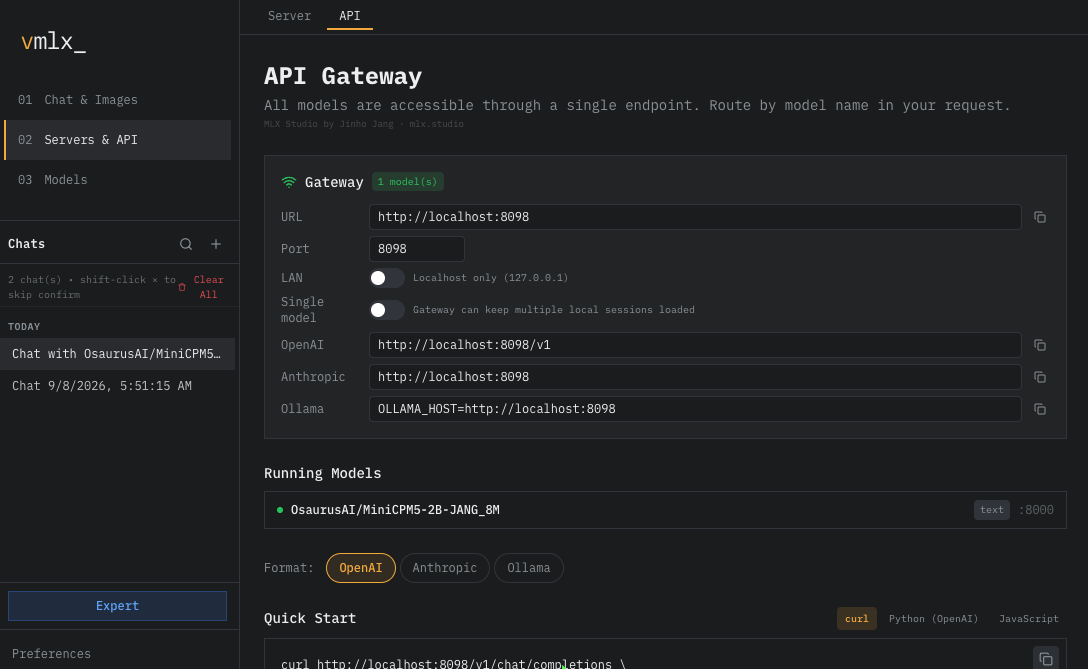
Serve 7 API endpoints locally (chat, responses, completions, embeddings, MCP, audio, cancel). Or flip to Remote Endpoint mode and connect to OpenAI, Anthropic, or any API — use vMLX's agentic tools with cloud models. One app for local and remote inference.

Voice Chat

Built-in text-to-speech on every assistant message. Click to listen to any response — hands-free AI interaction. No extra setup, no external services.

Vision & Multimodal

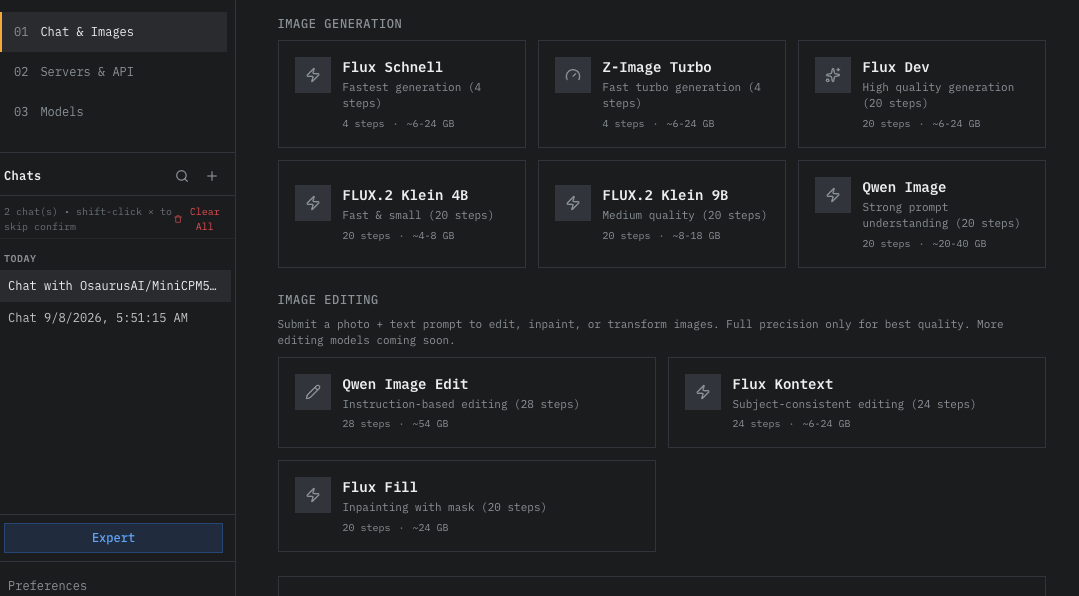
Attach images in chat for vision-capable models like Qwen VL and LLaVA. Paste or drag-and-drop images directly. Click to zoom. Full multimodal conversation support.

Reasoning & Thinking Blocks

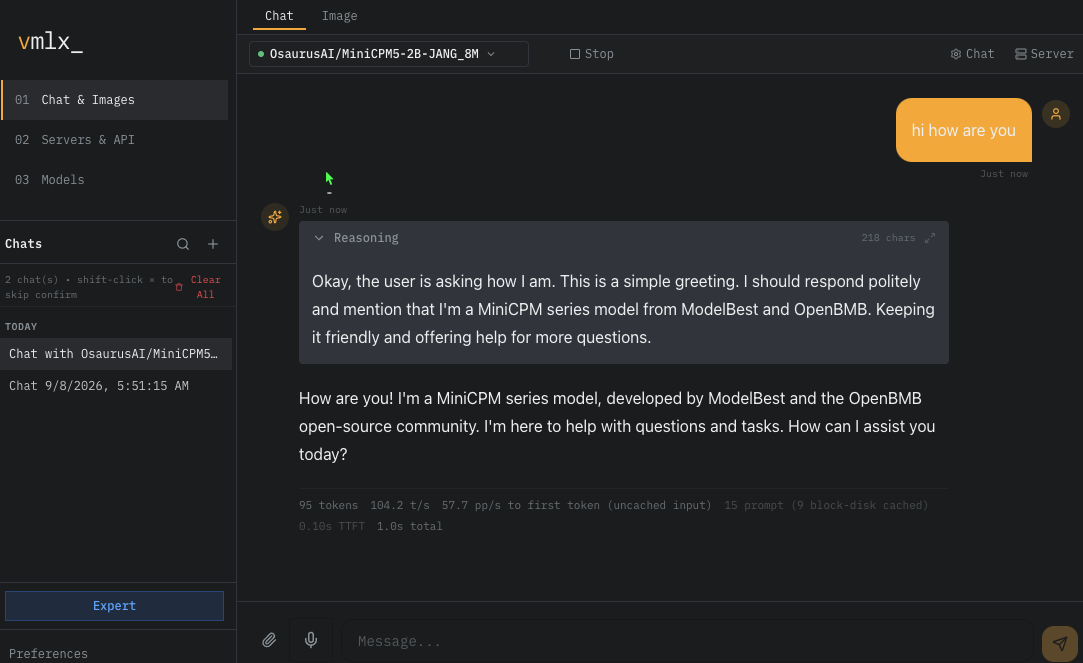
Collapsible reasoning display for thinking models — DeepSeek R1, Qwen 3, GLM-4.7. See the model's chain-of-thought in a clean expandable block, separate from the final answer.

Inline Tool Calls & Live Execution

Tool calls render as expandable pills inline with the model's response — click to reveal arguments and results. Real-time status indicators show when tools are executing, generating, or complete. Git status, diff, log, and show are built in alongside file I/O, shell, search, clipboard, and date/time tools.

Auto Model Detection

Reads model architecture from config.json and auto-selects from 14 tool call parsers and 4 reasoning parsers. Recognizes 50+ model architectures including Llama, Qwen, DeepSeek, Mistral, Gemma, Phi, GLM, Mamba, and more. No manual setup — load any model and vMLX picks the right configuration.

Mamba & SSM Hybrids

First-class support for Mamba and state-space model hybrids with dedicated BatchMambaCache. Proper batch filtering, merging, and KV quantization safety across Mamba layers. No other MLX app supports SSM architectures with batched inference.

Speculative Decoding

Use a small draft model to propose tokens and a large model to verify them — faster generation with the same output quality. Configure any MLX model as the draft, set the number of speculative tokens (default 3), and watch throughput increase. Especially effective when pairing a 2B draft with a 30B+ target. No other local MLX app supports speculative decoding.

Generation Defaults

Set default temperature and top-p per session with intuitive sliders. Values persist across restarts and apply to every request unless overridden by the API caller. Fine-tune creativity vs determinism at the session level.

Embedding Endpoint

Serve a dedicated embedding model alongside your chat model. The /v1/embeddings API works with any MLX embedding model — generate vectors for RAG, semantic search, or clustering without switching sessions.

Auto-Update Checker

vMLX checks GitHub for new releases on startup and shows a dismissible banner when an update is available. One click to download. No forced updates, no background downloads — you stay in control.

Agentic Coding

Your model writes code,
runs git, browses the web

Built-in coding tools let local models do what only cloud AI can — read, write, and edit files, execute shell commands, run git operations, search the web, access the clipboard, query the current date/time, and fetch URLs. No other local AI app has this.

vMLX — Chat
vMLX chat interface with API settings, system prompt, wire format, and agentic tool configuration
Built-in Coding Tools
vMLX built-in agentic coding tools — File I/O, code search, shell commands, web search (DuckDuckGo and Brave), URL fetch, working directory
Model Hub

Download models directly.
Or connect to any API.

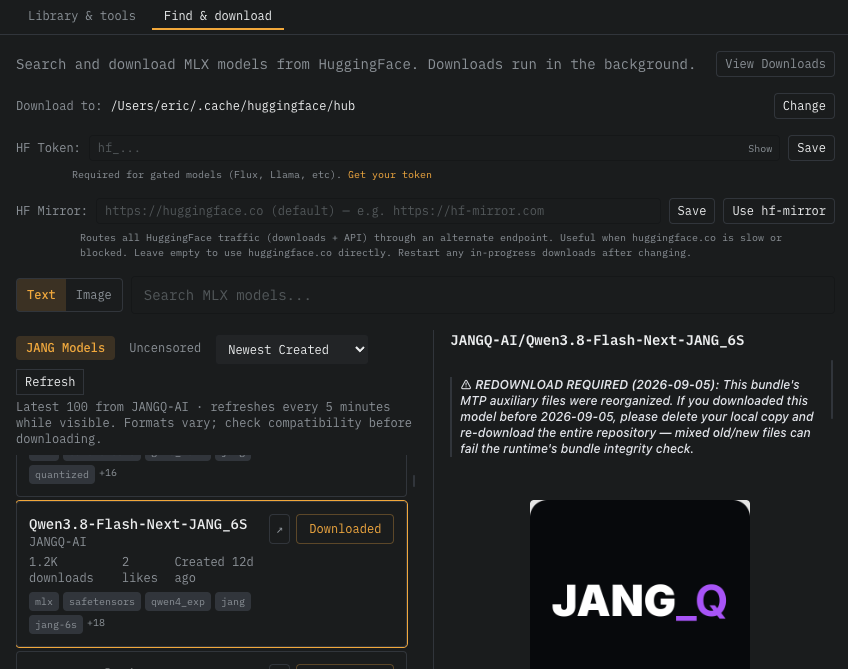
Browse and download MLX models from HuggingFace in one click — including our recommended in-house models. Or connect to OpenAI, Anthropic, or any OpenAI-compatible remote endpoint and use vMLX's agentic tools with cloud models.

Download from HuggingFace
vMLX model download — browse and download MLX models directly from HuggingFace with recommended ShieldStack models
Remote Endpoint
vMLX remote endpoint — connect to OpenAI, Anthropic, or any OpenAI-compatible API with API key authentication
API Coverage

More than just
chat completions

Most local MLX apps only expose a single endpoint. vMLX delivers a full OpenAI-compatible API surface with capabilities no other local app offers.

vMLX vs Other MLX Inferencing Apps
Capability vMLX Other MLX Apps
API Endpoints
/v1/chat/completions
/v1/responses
/v1/completions (text)
/v1/embeddings
/v1/mcp/tools (MCP)
/v1/audio/* (TTS/STT)
Cancel endpoint
Security & Reasoning
API key authentication
enable_thinking Reasoning parser separates delta.reasoning Accepted but no separation
reasoning_effort Sent to server Not supported
Caching & Memory
KV cache quantization (q4/q8)
Persistent disk cache
Paged multi-context KV cache
Prefix caching Partial
Agentic & Tools
Built-in coding tools (file I/O, shell, search)
Git tools (status, diff, log, show)
Web search (DuckDuckGo / Brave)
URL fetch
Clipboard access (read/write)
Date/time tool
Inline tool call UI with live status
Tool calls / function calling
Chat & Multimodal
Voice chat (TTS playback)
Vision / image input Partial
Reasoning blocks (collapsible thinking)
Auto model detection & config
Engine Capabilities
VL models + full caching stack ✓ (5 layers)
Mamba / SSM hybrid support
Tool call parsers 14 parsers 1–2
Reasoning parsers 4 parsers
Auto architecture detection 50+ architectures
cached_tokens in API response
Storage-boundary KV quantization q4 / q8
Speculative decoding (draft model)
Separate embedding model
Default generation params (temp, top-p)
Served model name alias
Auto-update checker
Model Management
HuggingFace model download
Remote API endpoint (OpenAI, etc.)
Multi-model listing

vMLX is the only MLX inference engine where vision-language models work with a full 5-layer caching stack (prefix + paged KV + KV quantization + continuous batching + disk cache). It supports speculative decoding, Mamba/SSM hybrids, 14 tool call parsers, 4 reasoning parsers, 50+ auto-detected architectures, separate embedding models, and reports cached_tokens in the API. No other local MLX app has any of these engine capabilities.

Performance

Built for Apple Silicon

Optimized for unified memory architecture. Run Llama, DeepSeek, Qwen, Gemma, and Mistral locally with maximum throughput.

256
Max concurrent sequences
512
Prefill batch size
20%
Auto cache memory
Concurrent sessions
Benchmarks

vMLX vs LM Studio

Real benchmarks on Apple M3 Ultra (256 GB) with Llama 3.2 3B Instruct 4-bit.

vMLX (vmlx-engine)
Engine: vmlx-engine v0.1 (SimpleEngine + mlx-lm)
Flags: --continuous-batching --enable-prefix-cache --use-paged-cache
Cache: Paged KV cache, multi-context, optional q4/q8 quantization
API: OpenAI /v1/chat/completions (streaming)
LM Studio (MLX engine)
Engine: LM Studio 0.3.x built-in MLX backend
Flags: Default settings (auto prefix caching)
Cache: Single-slot (1 active context)
API: OpenAI /v1/chat/completions (streaming)
Head-to-Head: TTFT (Time to First Token)
Metric vMLX LM Studio MLX
~2.5K Token Context
Cold TTFT 0.50s
Warm TTFT (cached) 0.05s
Cache Speedup 9.7×
~10K Token Context
Cold TTFT 0.12s 6.12s
Warm TTFT (cached) 0.08s 0.29s
Cache Speedup 1.6× 21×
~50K Token Context
Cold TTFT 0.30s
Warm TTFT (cached) 0.22s
Cache Speedup 1.4×
~100K Token Context
Cold TTFT 0.65s 131.06s
Warm TTFT (cached) 0.45s 1.14s
Cold PP/s 154,121 686
Warm PP/s 222,462 78,635
Architecture
Cache type Paged multi-context Single-slot
Multi-conversation ✓ concurrent caching ✗ evicts on switch
Concurrent sequences Up to 256 1

All measurements: TTFT via streaming OpenAI-compatible API. Cold = first request, no cache. Warm = same prefix cached. vMLX flags: --continuous-batching --enable-prefix-cache --use-paged-cache. LM Studio: default MLX engine settings. Model: mlx-community/Llama-3.2-3B-Instruct-4bit. Hardware: Apple M3 Ultra, 256 GB unified memory. Feb 2026.

Prompt Processing Speed

Cold = first request (full processing). Warm = same prefix cached. Up to 18.6× faster at 50K tokens.

Multi-Turn Prefix Cache

8-turn coding conversation with 12K system prompt. After turn 1, 99%+ tokens served from cache.

Get Started

Up and running in seconds

Download vMLX, install the MLX inference backend with one click, pick any model from HuggingFace — including our own MLX-optimized models — and start generating. No cloud, no API keys, no Docker.

  • One-click vMLX Engine installer
  • Download any MLX-compatible model
  • Auto-detects model architecture & configures parsers
  • Voice chat, vision, reasoning blocks built in
  • 20+ agentic tools (file, shell, git, search, clipboard)
  • OpenAI-compatible API on localhost
  • Code-signed — no Gatekeeper warnings
terminal
# First run: vMLX auto-installs vMLX Engine
$ open vMLX.app
Installing vmlx-engine via uv...
 
# Select a model, configure settings, hit Start
Server started on http://127.0.0.1:8000
 
# OpenAI-compatible API ready instantly
$ curl http://127.0.0.1:8000/v1/chat/completions \
  -H "Content-Type: application/json" \
  -d '{"model":"default","messages":[
    {"role":"user","content":"Hello!"}]}'
Server Configuration
vMLX server configuration — host, port, API key, concurrent processing, continuous batching, prefix cache
Configuration

Every parameter
at your fingertips

Fine-tune the MLX inference pipeline. KV cache quantization (q4/q8), persistent disk cache, paged cache blocks, prefill batch sizes, speculative decoding, generation defaults — vMLX exposes 30+ configuration flags across 8 settings panels.

prefill_batch_size max_concurrent_seq prefix_caching paged_kv_cache kv_cache_quantization kv_group_size disk_cache cache_directory block_size cache_memory_% continuous_batching mcp_tools enable_thinking reasoning_effort reasoning_parser tool_call_parser temperature top_p top_k min_p speculative_model num_draft_tokens default_temperature default_top_p embedding_model served_model_name
FAQ

Questions & answers

What is the best app to run AI locally on a Mac?+

vMLX is the most complete MLX inference engine for Mac. Unlike LM Studio or Ollama, vMLX provides a 5-layer caching stack (prefix + paged KV + q4/q8 quantization + continuous batching + disk cache), VL model support with full caching, speculative decoding, Mamba/SSM hybrids, 50+ auto-detected architectures, 14 tool call parsers, and built-in agentic coding tools with MCP integration. Free, no cloud connection, works on any M1+ Mac.

How does vMLX compare to LM Studio and Ollama?+

At 100K token context, vMLX achieves 154,121 prompt tokens/sec (cold) vs LM Studio's 686 tok/s. vMLX uses paged multi-context KV caching (concurrent conversations stay cached), while LM Studio uses single-slot caching that evicts on switch. vMLX supports up to 256 concurrent sequences vs 1 for LM Studio. All three offer OpenAI-compatible APIs, but only vMLX exposes all 23 inference parameters.

Can I run DeepSeek, Llama, Qwen, or Gemma locally?+

Yes. vMLX supports any MLX-compatible model from HuggingFace including DeepSeek V3, Llama 3/4, Qwen 2.5/3, Gemma 3, Mistral, Phi, and hundreds more. We also publish our own abliterated and REAP-optimized MLX models at huggingface.co/dealignai — including Qwen 3.5 VL CRACK (uncensored vision models) and Qwen 3.5 397B REAP (pruned MoE) in 4-bit and 8-bit. Models run entirely on your Mac's Apple Silicon GPU. A 16GB Mac handles up to ~20B parameters, while 64GB+ handles 70B+ models.

What is prefix caching and why does it matter?+

Prefix caching stores computed KV states from previous prompt processing. When you send a new message that shares the same system prompt or history, cached tokens are reused instantly. In benchmarks, this reduces TTFT by up to 9.7x on 2.5K context. Critical for multi-turn conversations and agentic workflows. Combined with KV cache quantization (q4/q8), you can cache even longer contexts in less memory.

Do I need internet or API keys?+

No. vMLX runs entirely on your Mac with zero cloud dependency. No API keys, no subscriptions, no rate limits. Your conversations and model weights stay 100% local and private. Internet is only needed to download models initially.

What Mac hardware do I need?+

Any Mac with Apple Silicon (M1, M2, M3, M4, M5 or later). More unified memory = larger models: 8GB handles ~3-7B, 16GB up to ~20B, 32-64GB handles 30-70B, and 128-512GB runs the largest open models at full precision.

How do I use vMLX as a ChatGPT alternative on Mac?+

Download vMLX, pick a model like Llama 3, Qwen 3, or DeepSeek V3, and use the built-in chat interface. Unlike ChatGPT, everything runs locally on your Mac — no subscription, no usage limits, no data sent to any server. You get the same chat experience with complete privacy and zero cost.

What is agentic AI and does vMLX support it?+

Agentic AI lets language models call external tools autonomously. vMLX has native MCP (Model Context Protocol) support with built-in tools that let your model read, write, and edit files, execute shell commands, run browser automation, search the web, and perform multi-step coding tasks — all running locally on your Mac. Configure tool iterations, tool-choice modes, and working directories. Combined with OpenAI-compatible function calling, vMLX is a complete local agentic AI platform.

Can I use vMLX with Cursor, Continue, or other AI coding tools?+

Yes. vMLX exposes an OpenAI-compatible API at localhost:8000. Point any tool that supports custom OpenAI endpoints — Cursor, Continue, Aider, Open Interpreter, LangChain, or custom scripts — to your local vMLX server. All inference stays on your machine with zero latency and no API costs.

Is vMLX better than Ollama for Mac?+

vMLX is purpose-built for Apple Silicon using the MLX framework, while Ollama uses llama.cpp. vMLX provides a 5-layer caching stack (prefix + paged KV + q4/q8 quantization + continuous batching + disk cache), speculative decoding, Mamba/SSM support, 50+ auto-detected architectures, 14 tool call parsers, and a native macOS GUI — features Ollama lacks. For Mac-native performance and developer experience, vMLX is the superior choice.

Does vMLX support voice chat and text-to-speech?+

Yes. Every assistant message has a built-in text-to-speech button. Click it to listen to any response hands-free. No external services or API keys required — it uses your Mac's native speech synthesis.

Can I use vision models and send images in vMLX?+

Yes. vMLX supports multimodal models like Qwen VL and LLaVA. Paste or drag-and-drop images directly into the chat. Images are displayed inline with click-to-zoom, and the model can analyze and respond to visual content. All processing stays on your Mac.

What are reasoning blocks and which models support them?+

Reasoning blocks show the model's chain-of-thought in a collapsible section, separate from the final answer. Supported by thinking models like DeepSeek R1, Qwen 3, and GLM-4.7 Flash. vMLX auto-detects reasoning-capable models and configures the right parser automatically — no manual setup needed.

Why is vMLX the best MLX inference engine?+

vMLX is the only MLX engine that combines vision-language model support with a full 5-layer caching stack (prefix cache, paged KV cache, KV cache quantization, continuous batching, persistent disk cache). It also supports speculative decoding, Mamba/SSM hybrid architectures, auto-detects 50+ model architectures, has 14 tool call parsers and 4 reasoning parsers, reports cached_tokens in the OpenAI-compatible API, and uses storage-boundary quantization (full precision during generation, compressed only in storage). No other MLX app — LM Studio, Ollama, mlx-community tools, or any other — offers even a fraction of these engine capabilities.

Does vMLX support Mamba and state-space models?+

Yes. vMLX has first-class Mamba and SSM hybrid support with a dedicated BatchMambaCache that handles batch filtering, merging, and KV quantization safety across Mamba layers. This means Mamba-based models work with continuous batching and the full caching stack. No other MLX inference app supports SSM architectures with batched inference.

What is speculative decoding and does vMLX support it?+

Speculative decoding uses a small, fast draft model to propose candidate tokens, which the larger target model then verifies in parallel. This can significantly speed up generation without sacrificing output quality. In vMLX, configure any MLX model as the draft (e.g., a 2B model for a 30B+ target), set the number of draft tokens (default 3), and get faster responses. No other local MLX app supports this.

Does vMLX auto-update?+

vMLX checks GitHub for new releases on startup and shows a dismissible banner if an update is available. Click the download link to get the latest version. There are no forced updates, no background downloads, and no telemetry — you control when and whether to update.

Can I serve embeddings alongside my chat model?+

Yes. vMLX lets you configure a separate embedding model in the session settings. The /v1/embeddings endpoint uses this dedicated model, so you can generate embeddings for RAG pipelines or semantic search without stopping your chat model. No other local MLX app supports this.

What built-in tools does vMLX include for agentic AI?+

vMLX includes 20+ built-in tools across 7 categories: File I/O (read, write, edit, copy, move, delete, list), Code Search (grep, glob), Shell (execute commands), Web Search (DuckDuckGo and Brave), URL Fetch, Git (status, diff, log, show), and Utilities (clipboard read/write, current date/time). All tools run locally with a configurable working directory and iteration limits.

The most complete MLX engine. Free.

224× faster than LM Studio. VL + full caching stack. Speculative decoding. Mamba. 50+ architectures. 14 tool parsers. 20+ agentic tools. Voice. Vision. Embeddings.
No cloud. No API keys. No rate limits. No competition.